
The latest updates on the btwb Plan Page
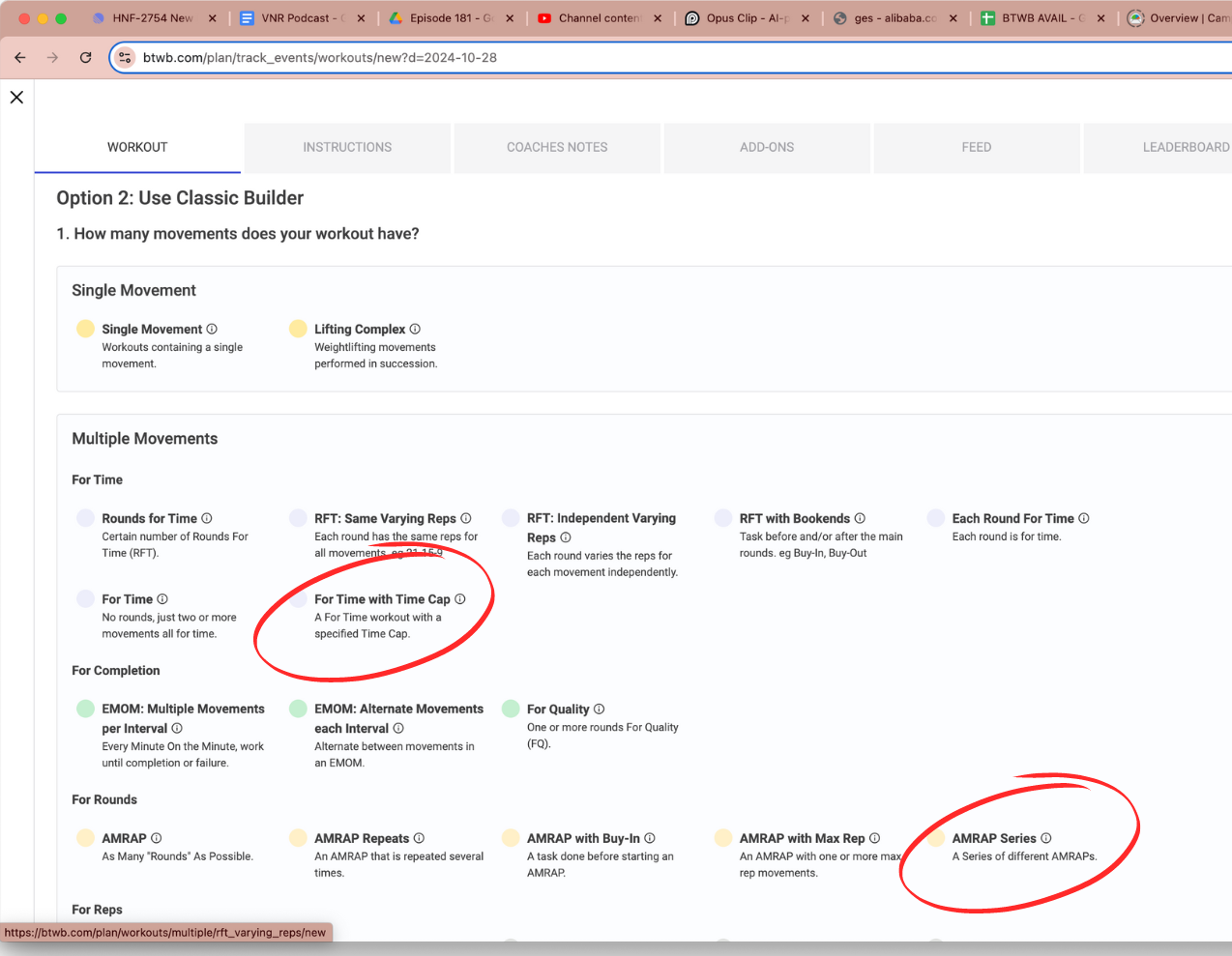
1. HOW TO FIND FOR TIME WITH TIME CAP TEMPLATE:
After clicking “+” icon to create your workout, scroll down to find the “For Time” category and find the “For Time with Time Cap” template.

Create the workout and plan it to your calendar.
Users should be familiar with this template as it’s been used numerous times throughout BTWB in the CrossFit Games Open setting.

Make sure to select “Plan Workout”

It will now appear and a user will be able to log a result to this workout.
2. LOGGING A WORKOUT ON THE BTWB APP FROM THIS TEMPLATE:
IF USER COMPLETES WORKOUT: Time will light up and become active if total reps are completed where the user will then enter their timed score.


IF USER DOES NOT COMPLETE WORKOUT: Time will not become active if total reps are not completed and the users score will be how many reps were completed before the time cap.

3. HOW TO FIND AMRAP SERIES TEMPLATE:
After clicking “+” icon to create your workout, scroll down to find the “For Rounds” category and find the “AMRAP Series” template.

Create the workout and plan it to your calendar. Users are now able to create multiple AMRAPs within the same workout. You also have the ability to add rest in between each AMRAP.
Each AMRAP time frame and rest between AMRAPs can be independent of each other making for some creative workout opportunities.
It will now appear and a user will be able to log a result to this workout.
4. LOGGING A WORKOUT ON THE BTWB APP FROM THIS TEMPLATE:
This template gives the ability to now have multiple AMRAPs that are different within the same score. You are also able to add rest between AMRAPS.


